- WhatTheAI
- Posts
- 🍌 Nano Banana 2 is here!
🍌 Nano Banana 2 is here!
Plus: Create Visual Hooks That Grab Attention
In partnership with


Welcome to WhatTheAI, your go-to destination for everything artificial intelligence. Dive into the newest breakthroughs, discover the latest AI tools and tutorials, and explore the limitless possibilities of AI. Join us as we navigate the fascinating world of AI together!
Top picks for today:
🎨 AI to create 3D models from ideas or images
🚀 Guide to creating viral visual hooks with Adobe Firefly
⚡ Nano Banana 2: Lightning-Fast, Pro-Quality AI Images
⚒️ AI tools that should be added to your kit
🖌️ AI Prompt to Instantly Create a Full Storyboard from Your idea
All this and many more - Let's get Started!
🌟Today’s Spotlight: Fastin3D
AI 3D Model Generator from Image
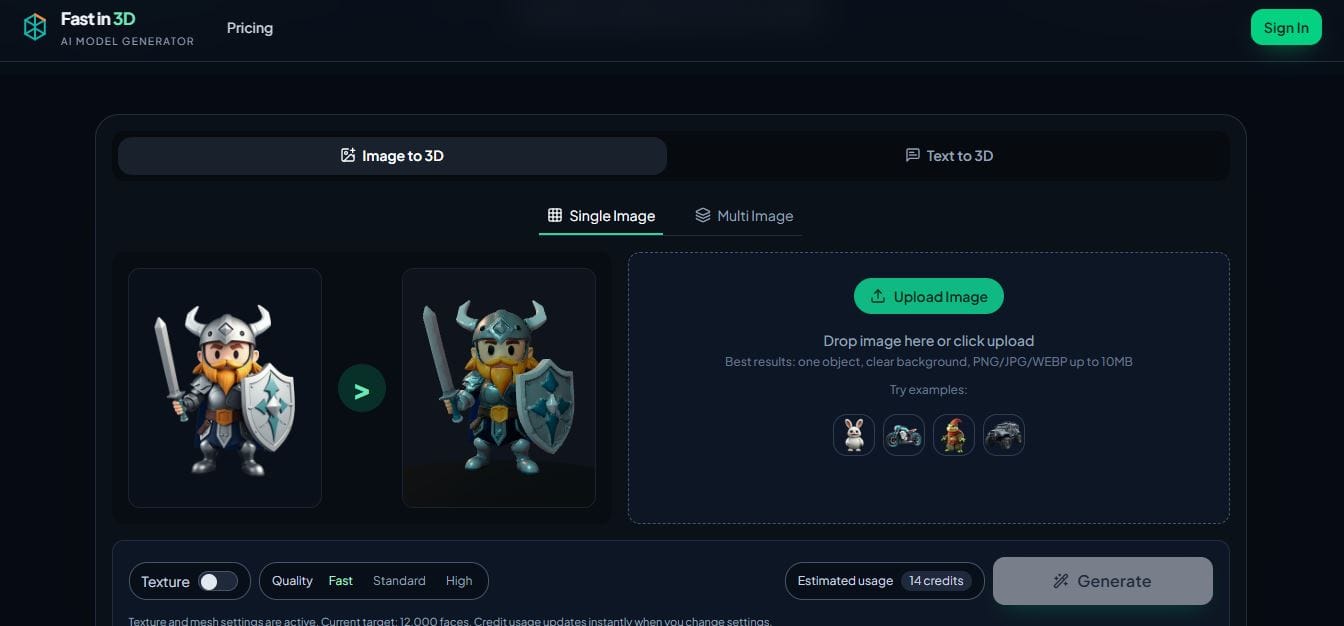
Want to create high-quality 3D models quickly and easily?
With Fastin 3D, you can simply upload an image, and it will generate detailed, realistic 3D models in seconds.
These models are ready to use and perfect for sharing on social media or on websites, helping your content stand out and capture attention.
Master AI: Three Times Weekly
🌟 The Ultimate 2026 Tutorial for Eye-Catching Video Hooks

Today you will learn how to make viral visual hooks for your videos to double your views using Adobe Firefly. The video walks through powerful effects like an Earth zoom transition that pulls viewers straight into your content, AI character swaps that turn people into new characters like superheroes, and fire effects with animated transformations. It also shows how you can add fire to your hands or transform a person into an X-ray style look using simple text prompts inside Firefly’s AI video generator. In the end, you learn how to grab attention faster, stand out on social media, and create high-quality visuals without advanced editing skills or expensive tools.
Today’s Hottest in AI
🔥 Nano Banana 2: Pro Power, Lightning Speed

Google just released Nano Banana 2 (Gemini 3.1 Flash Image), their newest image model that combines the speed of Gemini Flash with the advanced intelligence and quality of Nano Banana Pro. It can quickly create and edit high-quality, photorealistic images, keep characters and objects consistent, follow detailed instructions, and generate text in images; including translations. With full control over size and resolution, it’s perfect for social posts, diagrams, or professional visuals all at lightning-fast speed.
🔎 Quick AI highlights
🛠️ New featured tools
✨Flow Fiction : AI tool that that transforms your ideas into novels.
🚀 Sidewalk Social : Learns from your past posts, interactions, and audience to create content that truly resonates.
💻 Codesync Club : Learn coding by building websites, apps & games with AI teachers.
😎 Free Face Swap : AI tool that swaps faces in a realistic and accurate way.
🎙️ Beyz AI : Real-time AI assistant that listens, understands, and suggests answers to help you ace meetings and interviews.
Better prompts. Better AI output.
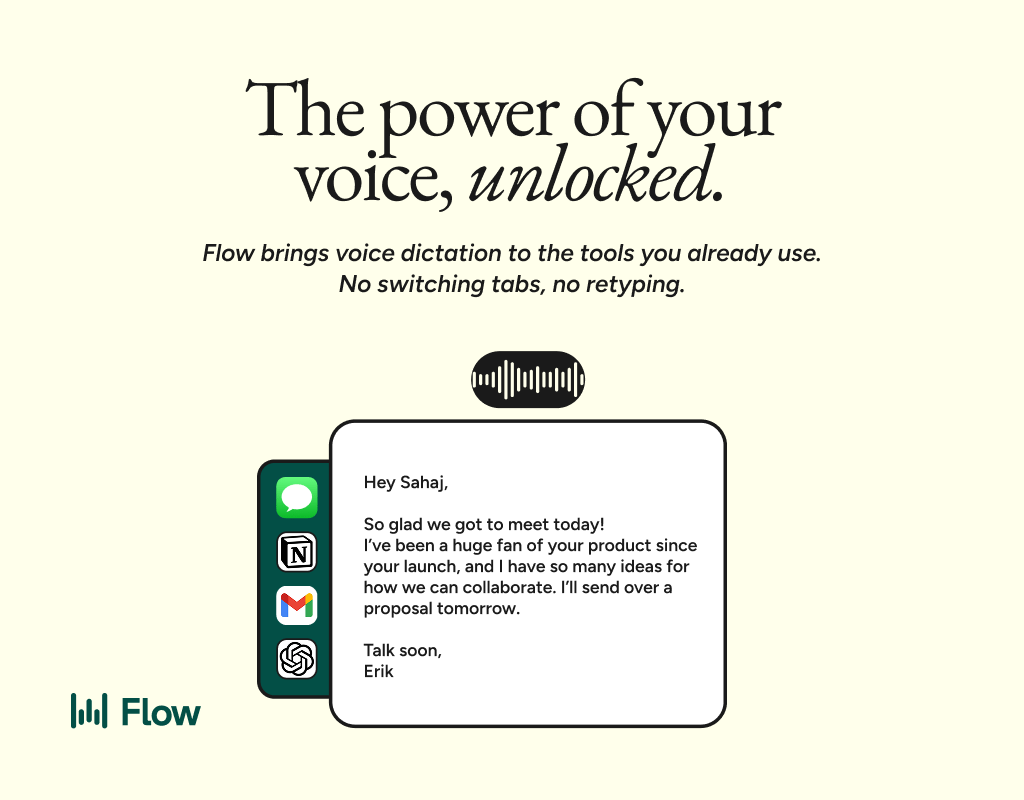
AI gets smarter when your input is complete. Wispr Flow helps you think out loud and capture full context by voice, then turns that speech into a clean, structured prompt you can paste into ChatGPT, Claude, or any assistant. No more chopping up thoughts into typed paragraphs. Preserve constraints, examples, edge cases, and tone by speaking them once. The result is faster iteration, more precise outputs, and less time re-prompting. Try Wispr Flow for AI or see a 30-second demo.
✨ Prompts Show
🎬 Perfect Prompt to Turn Your Idea into a full Storyboard

Instantly map out your video with this perfect AI prompt.:
Create a detailed scene-by-scene storyboard for a [type of video: explainer, ad, or tutorial] about [topic]. For each scene, include:
Scene number
Visual description (background, characters, objects, colors)
Dialogue or narration (what is said or displayed as text on-screen)
Camera angles and movements (close-up, pan, zoom, etc.)
Additional notes (music, sound effects, transitions)
Make it clear, structured, and ready to hand to a video editor or animator.

✨ Big Thanks for Reading!
That’s all for now! We hope you found this week’s AI highlights insightful.
But the journey doesn’t stop here—our next newsletter will bring you even more step-by-step AI tutorials, the latest updates from the AI world, and powerful new tools to explore. Until then, keep experimenting and discovering the future of AI with WhatTheAI!
Don’t forget to follow us on X , LinkedIn, and Instagram so you never miss an update.