- WhatTheAI
- Posts
- 🔥Anthropic Turns Claude Into a Work Hub!
🔥Anthropic Turns Claude Into a Work Hub!
Plus: Stop ChatGPT Hallucinations with this Prompt

Welcome to WhatTheAI, your go-to destination for everything artificial intelligence. Dive into the newest breakthroughs, discover the latest AI tools and tutorials, and explore the limitless possibilities of AI. Join us as we navigate the fascinating world of AI together!
Top picks for today:
🤖 AI that saves your qualified leads
🎬 Perfect Upscaling for Photos & Videos; Step by Step
📌 Avoid These 10 AI Image Generation Mistakes
⚒️ AI tools that should be added to your kit
🎯 The Prompt That Keeps ChatGPT Accurate
All this and many more - Let's get Started!
🌟Today’s Spotlight: Ralivi
A CRM that tells you what to do next

Ralivi will help you manage your leads.
It scans your incoming and outgoing emails, highlights the contacts who need attention, and reminds you when it’s time to reach out. It’s a simple way to keep track of leads and make sure nothing slips through the cracks.
Master AI: Three Times Weekly
🎬 Perfect AI Upscaling: Step-by-Step for Photos & Videos

Today, you will learn how to upscale images and increase video quality using AI in a way that improves the final result without creating unnatural or distorted visuals. You will use VideoProc Converter to understand how different AI tools and settings affect image clarity and video sharpness, and how to apply them correctly. You will also learn how to enhance facial details in images and how to colorize black-and-white photos. Watch the full tutorial and practice each step to understand how each adjustment impacts the final output.
Today’s Hottest in AI
🔥Anthropic Turns Claude Into a Work Hub
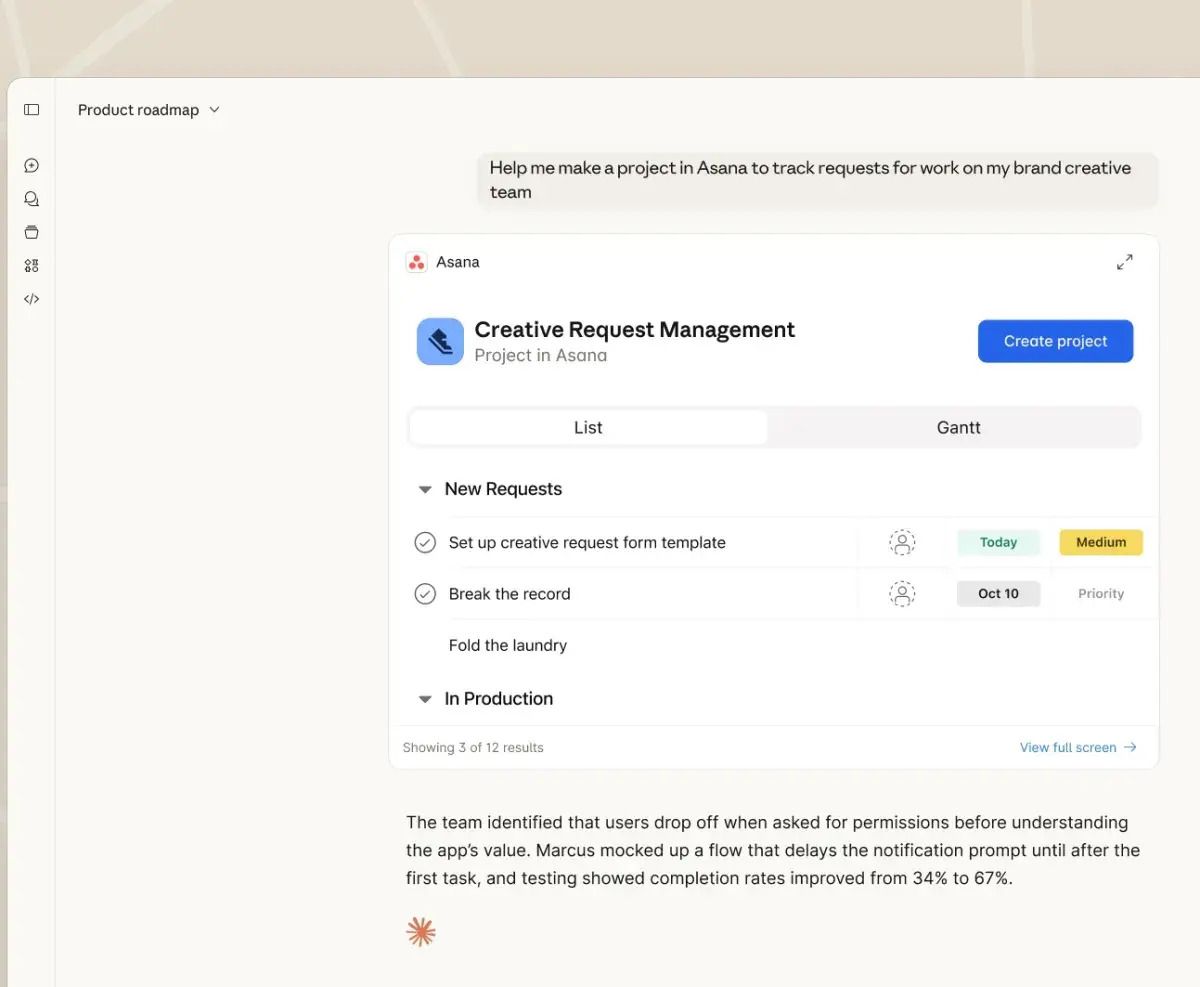
Anthropic has added interactive workplace tools like Slack, Asana, Canva, and Figma inside its Claude chat, so users can edit messages, update tasks, and change designs without leaving the chat window. This is powered by MCP Apps, a new feature built on the Model Context Protocol (MCP), an open standard that connects AI products to external tools and data. MCP Apps lets tools show interactive screens like dashboards, forms, and charts inside the chat in a safe, locked window. The goal is to make AI assistants more useful for real work, but it also raises questions about control and security because the AI can directly access real messages and files.
🔎 Quick AI highlights
🤖 Apple's long-overdue Siri features will be powered by Gemini, and they'll arrive in the second half of February.
🎬 Ray3.14 by Luma: Pro AI animation with native 1080p, 4x faster rendering, and per-second pricing that’s 3x cheaper.
🌍 NVIDIA launches Earth-2, the world’s first fully open and AI weather models and tools for better forecasting and climate analysis.
🛠️ New featured tools
🤖 YesToTheOffer : AI co-pilot for interview practice; guides you, gives insights, and adapts to your skill level.
📸 XIMAGIN : Transforms raw product photos into professional-looking product advertisements.
💻 Atoms : AI tool that turns your idea into product apps and websites that sell, and helps you acquire customers with no coding.
✍️ Humanize-AI : Turns AI text into natural, human-like writing; clear, fluent, and engaging.
🎮 FragCut : AI tool that picks the best clips from your long gaming videos.
📝 Today's insight
10 Common AI Image Mistakes And How to Fix Them

Discover the common mistakes everyone makes when generating AI images and why you rarely get the result you want on the first try, even after endless edits.
In this article, you’ll learn what’s going wrong and how to fix these mistakes so you can get the perfect image from your very first prompt.
✨ Prompts Show
🛑 Prompt to Prevent ChatGPT Hallucinations

To avoid hallucinations from ChatGPT, go and paste this prompt:
“If you are not 100% certain about any fact, respond with ‘I don’t know’ or ‘I can’t verify this.’
Do not guess, assume, or invent information.
Only provide verifiable and well-established facts.
If a source is required and you are unsure, ask for permission to verify or clearly state that no reliable source is available.”

✨ Big Thanks for Reading!
That’s all for now! We hope you found this week’s AI highlights insightful.
But the journey doesn’t stop here—our next newsletter will bring you even more step-by-step AI tutorials, the latest updates from the AI world, and powerful new tools to explore. Until then, keep experimenting and discovering the future of AI with WhatTheAI!
Don’t forget to follow us on X , LinkedIn, and Instagram so you never miss an update.