- WhatTheAI
- Posts
- 🎯 Adobe turns PDFs into slides & podcasts!
🎯 Adobe turns PDFs into slides & podcasts!
Plus: Generate 3D models in minutes

Welcome to WhatTheAI, your go-to destination for everything artificial intelligence. Dive into the newest breakthroughs, discover the latest AI tools and tutorials, and explore the limitless possibilities of AI. Join us as we navigate the fascinating world of AI together!
Top picks for today:
🤖 AI large models for every task, all in one place
🚀 How to generate 3D models in minutes
🎬 LTX launches audio-to-video feature
⚒️ AI tools that should be added to your kit
🧠 Beginner Claude API course: Build with Claude
All this and many more - Let's get Started!
🌟Today’s Spotlight: i10x.ai
All your AI Needs in one Place
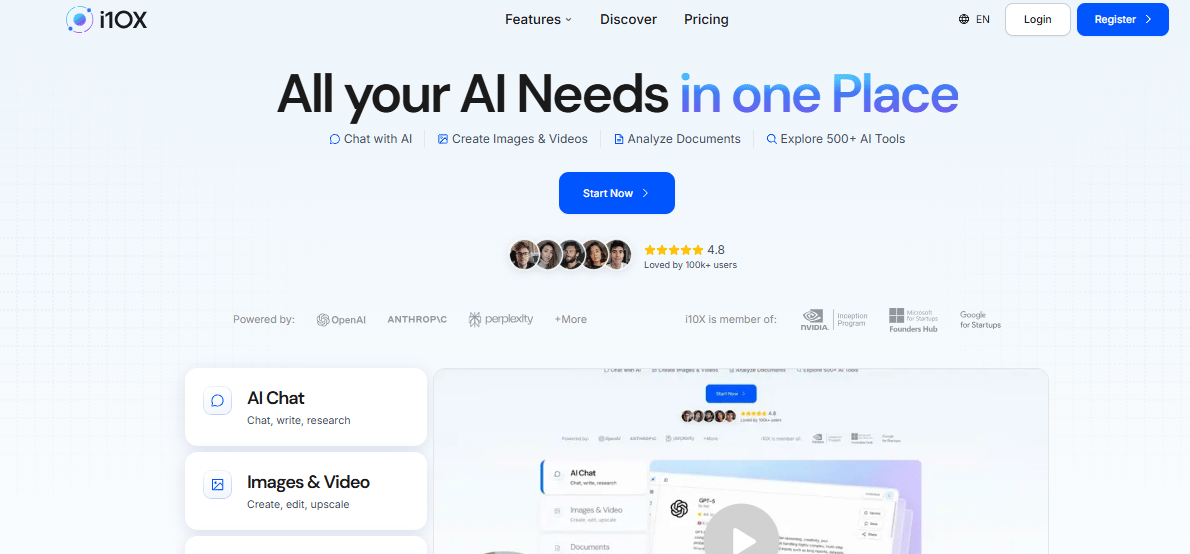
i10x combines multiple large language models into one interface, so you can use the best tools for chatting, writing, and research in one place.
It also includes features for image creation, editing, and upscaling.
For PDFs, you can upload documents to extract key insights, analyze content, and generate summaries.
It’s designed to simplify your workflow by keeping all your AI tools in one place.
Master AI: Three Times Weekly
🚀 Create Production-Ready 3D Models in Minutes

In today’s tutorial, you will learn the step-by-step process of using Tripo AI 3.0 Ultra to create a 3D model. First, you start by uploading an image or writing a text prompt to generate your model. Then, you choose Ultra mode to create a high-detail model with up to 2 million polygons. Next, you use the workspace to view and adjust the model, change viewing styles, and refine the details. After that, you can split the model into editable parts using automatic segmentation for games or 3D printing. Finally, you can apply automatic rigging and animations, and export your finished project in formats like FBX, USD, OBJ, or 3MF for use in Blender or other tools.
Today’s Hottest in AI
🔥 Adobe Acrobat converts PDFs into slides and podcasts
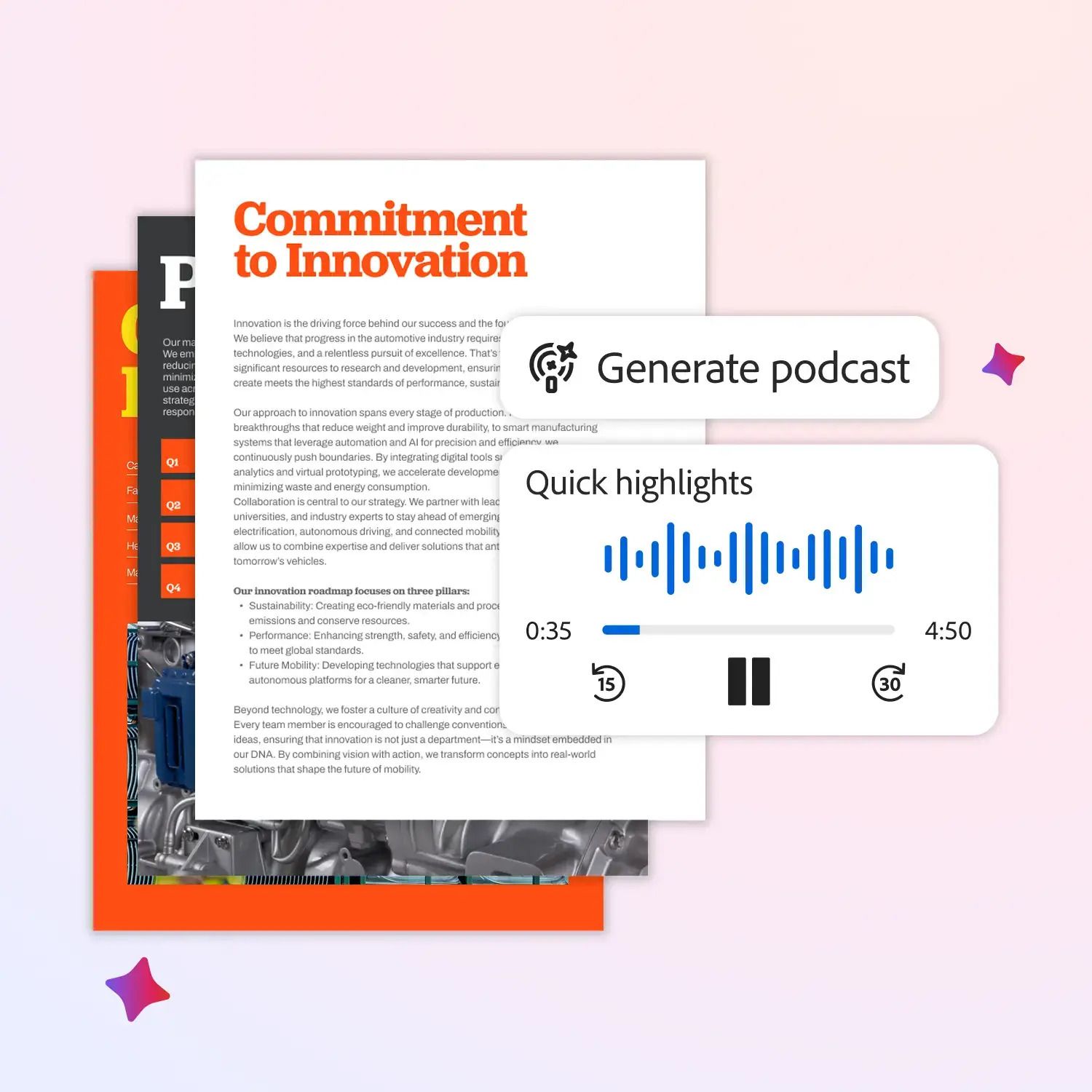
Adobe Acrobat and Adobe Express bring AI-powered productivity and creativity together to help you keep up in a fast-moving world. You can turn your documents into professional presentations in minutes, choose a design, and easily edit text, images, and visuals without any design experience. You can also transform long emails, reports, and meeting notes into podcast-style audio summaries you can listen to at your desk, in the car, or while on the move. Whether for work or personal life, these tools help you save time, understand information faster, collaborate better, and create content that truly stands out.
🔎 Quick AI highlights
🎧 LTX launches audio-to-video exclusively with ElevenLabs; letting sound drive video from the very first frame.
🚀 OpenAI is "on track" to unveil its first device in the second half of 2026.
🌍 Anthropic is partnering with Teach For All to bring AI tools and training to educators in 63 countries.
🛠️ New featured tools
🧠 AI Motion Control : An AI tool that copies motion from a reference video to animate your image with great precision.
⚡ Receipt Maker : Make realistic receipts online ; quick, free, and easy to customize.
🛡️ SiteRooster : AI that monitors your website 24/7 for uptime, SSL, domain expiry, and content changes.
🧠 DeepRails : AI that detects and fixes hallucinations in LLM models.
🛒 Shopee Reviews Scraper : Chrome extension that collects reviews from Shopee, AliExpress, Amazon, Etsy, and Walmart.
📝 Today's Course
Building with the Claude API
This beginner-level course teaches you how to build apps using Claude’s API. In seven modules, you’ll learn the basics of the API, prompt engineering, tool use, retrieval systems, and agent workflows. By the end, you’ll be able to build real applications like chat interfaces, tool-enabled systems, and autonomous agents.
✨ Prompts Show
🔍 100 AI-Powered SEO Prompts for Better Visibility

To improve your SEO, this Notion guide includes 100 AI prompts for ChatGPT, Gemini, and Perplexity.
It covers multiple SEO categories to help you optimize every part of your strategy; from analytics and content planning to e-commerce SEO (like product descriptions) and competitor keyword gap analysis. Whether you're a beginner or a pro, these prompts will streamline your workflow and help you rank higher.

✨ Big Thanks for Reading!
That’s all for now! We hope you found this week’s AI highlights insightful.
But the journey doesn’t stop here—our next newsletter will bring you even more step-by-step AI tutorials, the latest updates from the AI world, and powerful new tools to explore. Until then, keep experimenting and discovering the future of AI with WhatTheAI!
Don’t forget to follow us on X , LinkedIn, and Instagram so you never miss an update.